| Support | Contact Us
Family Law Software
@mrjackson

Download the latest version

The latest version is 448.18, released on 6/2/2026.

Installation Help

Windows installation instructions

Google Chrome

When the download is complete, click the "FLSPro.exe" button at the bottom of your screen.

Chrome File Download

Run the installer, accept the license agreement, and click install.


Firefox

Click "Save File" on the dialog that appears.
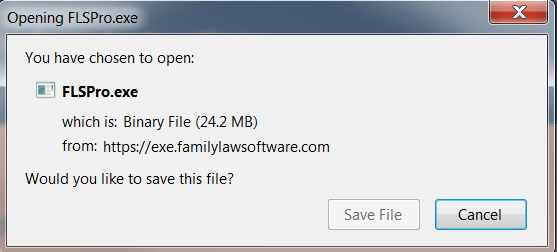
Firefox Save File Dialog

When the download is complete, click the "FLSPro.exe" button in the upper-right-hand corner.
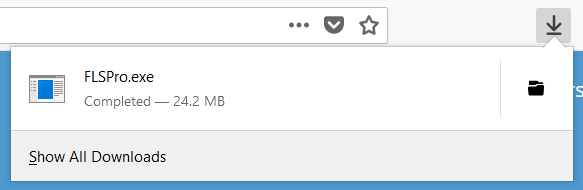
Firefox Downloaded Installer

Run the installer, accept the license agreement, and click install.

If you have problems with the download, please contact technical support.

Mac installation instructions

Developer Warning

If you are installing for the first time, you may see a message that the program cannot identify the developer. Follow the steps below:
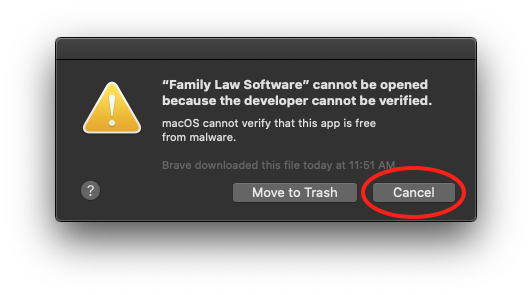
Install Error
  1. Click OK (or Cancel), then go to System Preferences.

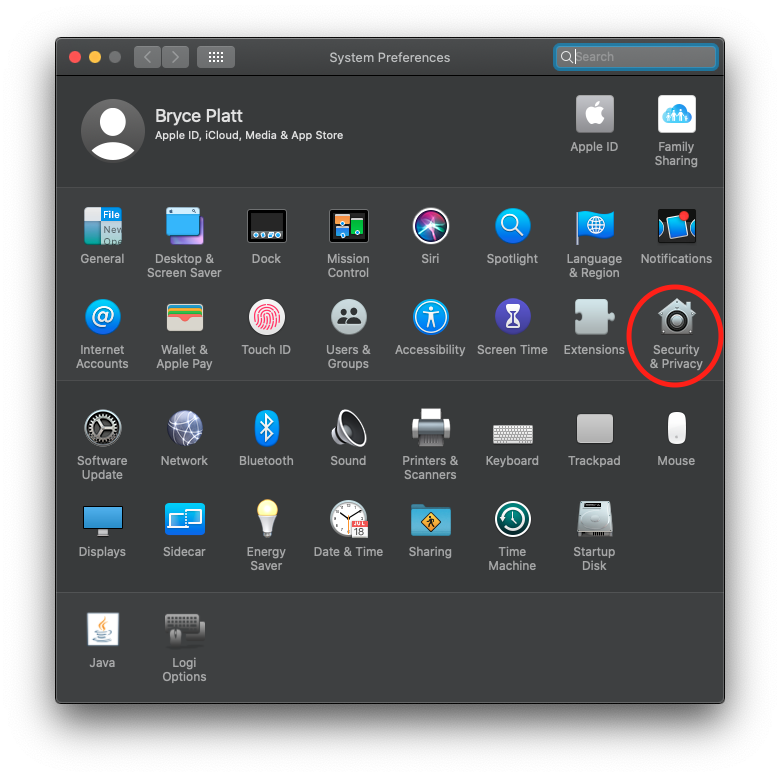
  2. Click on Security & Privacy:

    Security Preferences
  3. Click the Open Anyway button under the General Tab.
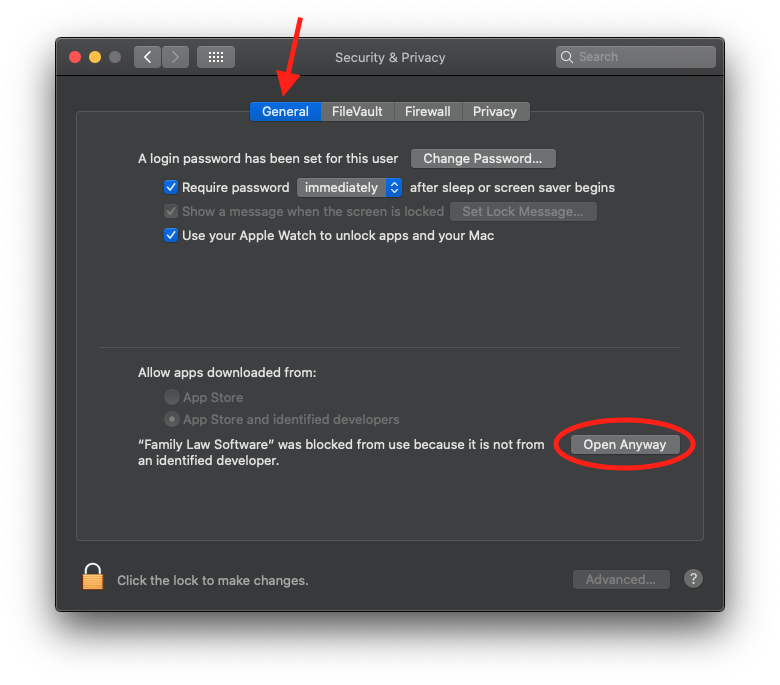
    Open Anyway
  4. Click Open on the confirmation dialog.
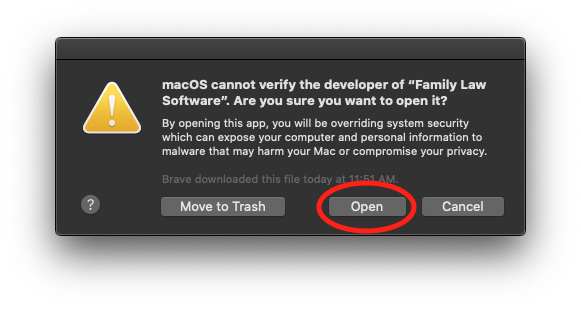
    Dialog Open
  5. You can now use Family Law Software.


Full Installation Instructions

The file size is around 350MB. When the download completes:

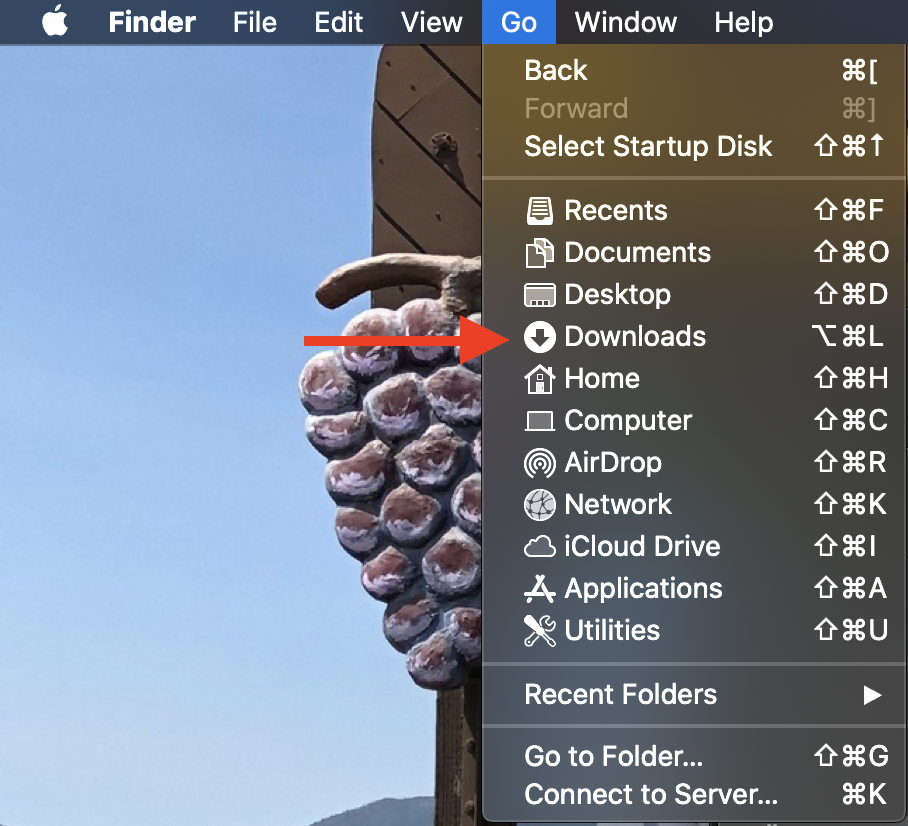
  1. Locate FLSMac.dmg in Downloads. Check your Finder's Go menu if needed.

    Go Menu
  2. Double-click FLSMac.dmg to run the installer.
  3. MINIMIZE YOUR BROWSER by clicking the (yellow button).

  4. Drag the Family Law Software icon onto Applications:
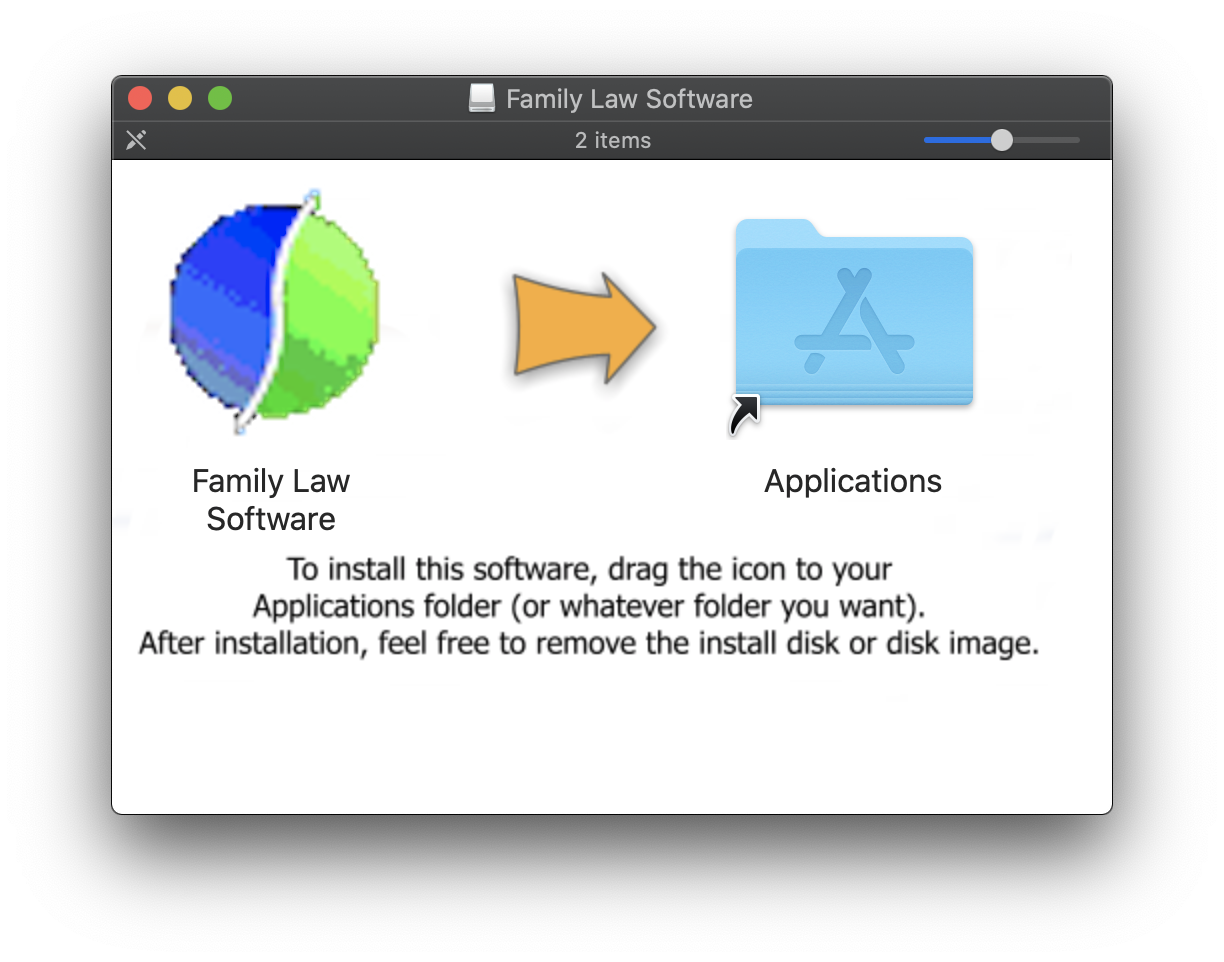
    Install Disk
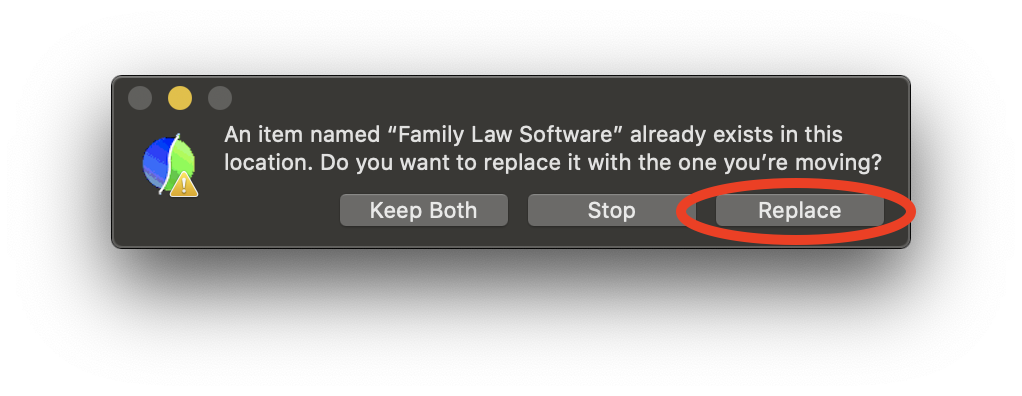
  5. Click "Replace" if prompted:

    Replace
  6. Choose overwrite if asked.
  7. (Optional) Drag Family Law Software icon to the dock.
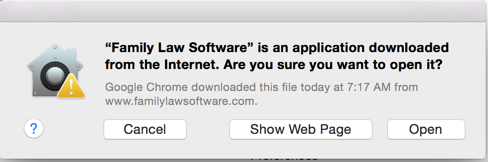
  8. Click "Open" when starting:

    Open
  9. Enter your KeyCode. For a trial, enter "TRIAL" (all uppercase).
  10. (Optional) Delete FLSMac.dmg.

Requirement: Mac OS 10.7 or later.

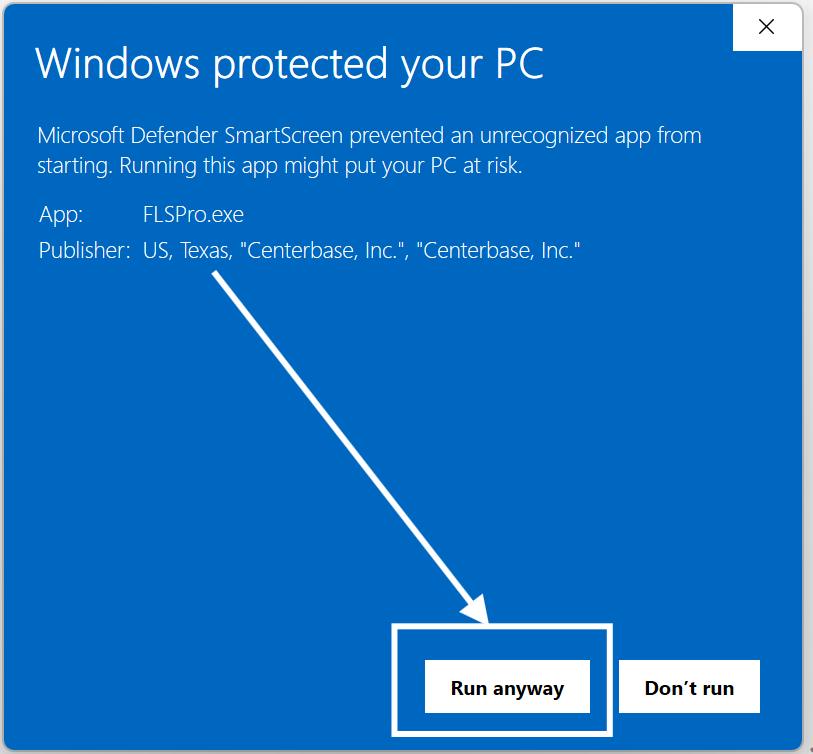
Windows Defender SmartScreen notice

You may see the screen shown below when you install the Windows download.

There is no virus or malware in Family Law Software. This has been confirmed by Microsoft.

Here are the steps to safely install the app:
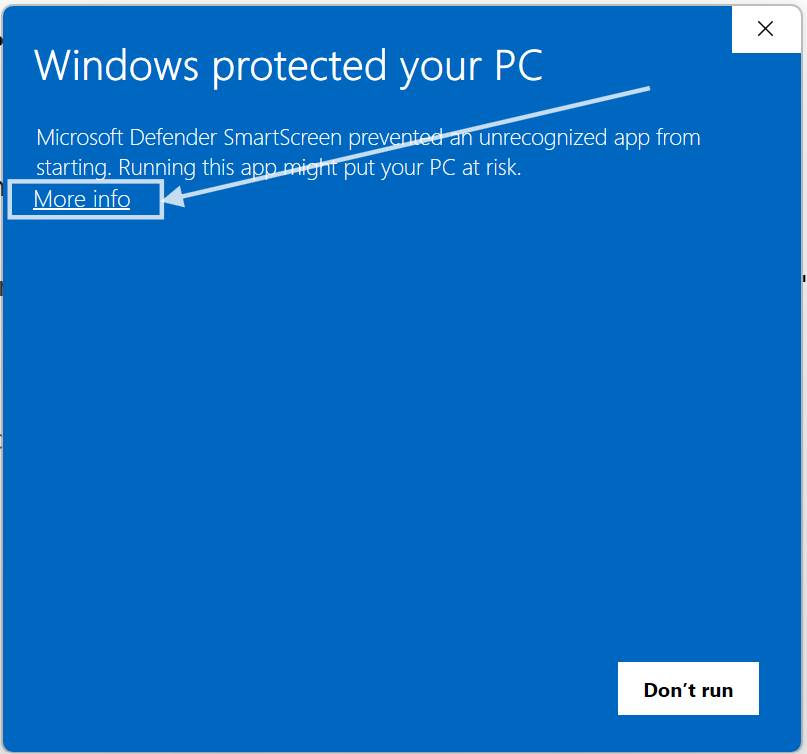
SmartScreen Warning
  1. Click the "More info" link, as shown above.
  2. Click the "Run anyway" button, as shown below.
  3. Continue with the installer as usual.
Run Anyway

Again, this is perfectly safe.

The error is on Microsoft's part, not recognizing the validation code that is correctly built into the installer.

The app itself is fine, and your PC will not be harmed.


To prevent this message in the future:

In your Taskbar, in the "Search" area, type "cmd" for command prompt.

Search

In the pop-up that appears, on the right, select "Run as administrator"
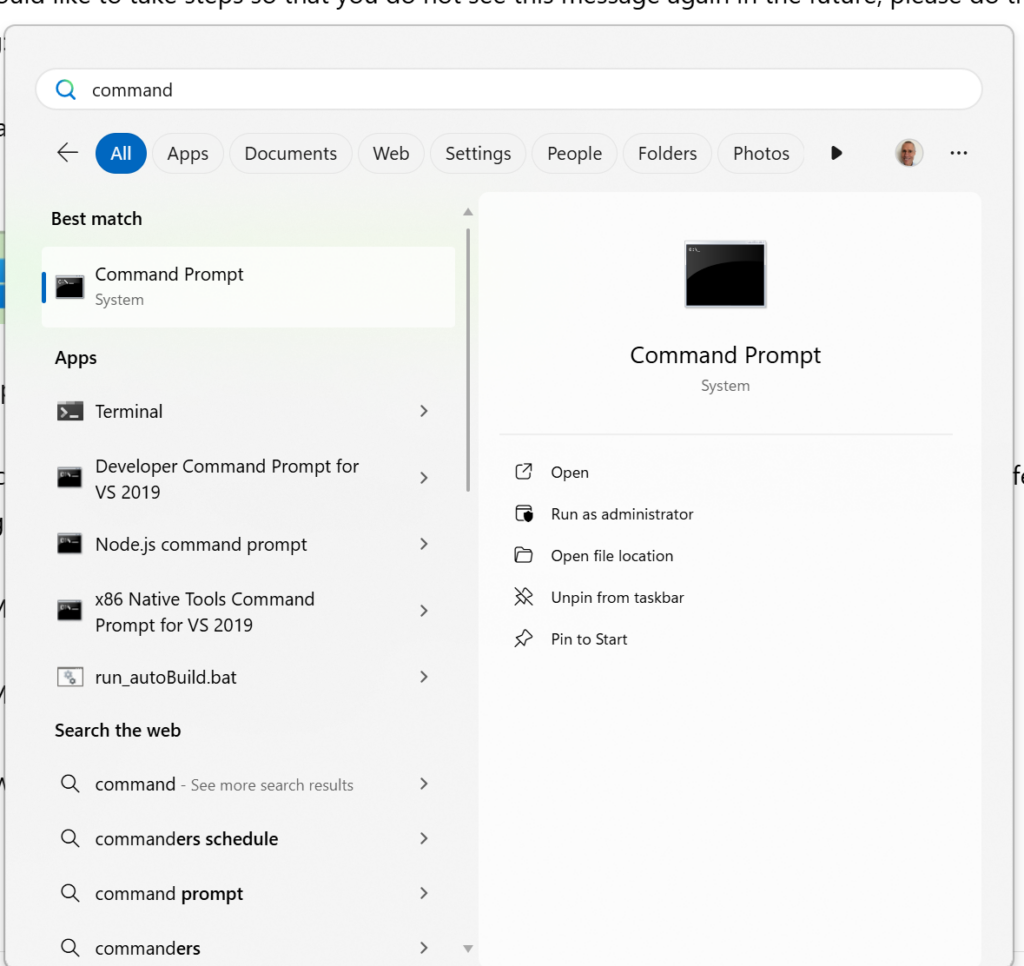
Run as Admin

Type these commands:

cd c:\Program Files\Windows Defender
MpCmdRun.exe -removedefinitions -dynamicsignatures
MpCmdRun.exe -SignatureUpdate
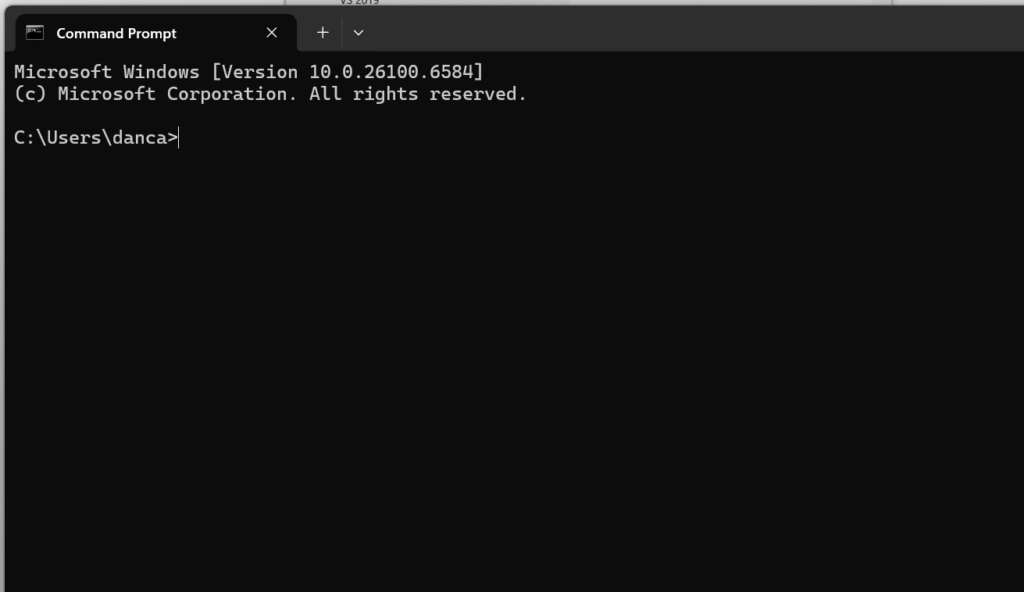
Command Prompt

Please read and accept the license agreement

FAMILY LAW SOFTWARE — END-USER LICENSE AGREEMENT

DISCLAIMER

This program is provided "as is." Family Law Software, Inc., the sole developer of this product, makes no warranties of any kind whatsoever, and in particular, Family Law Software, Inc. makes no warranties of any kind as to merchantability or fitness for a particular purpose.

Family Law Software, Inc. hereby gives notice that: there may be errors in fact, law or calculation in this program; there may be questions that are phrased in a manner that is unclear and ultimately misleading; there may be software errors, bugs, or glitches.

Family Law Software also disclaims all responsibility for loss or misuse of client information.

Family Law Software, Inc. hereby disclaims all legal and other responsibility for any injury that any individual or entity may suffer in connection with the use of this program.

If you do not accept the terms of this disclaimer, do NOT use this product.

1. GRANT OF LICENSE — The Software is licensed, not sold.

2. NO WARRANTY — Provided "AS IS" without warranties.

3. TERMINATION — License terminates if Customer fails to comply.

4. LICENSED USERS — Must be a licensed or trial user.

5. UPGRADES — Customer responsible for keeping software updated.

6. EVALUATION EDITIONS — Trial restricted to evaluation period.

7. HANDLING OF INFORMATION — Disclaims responsibility for private information.

8. ARBITRATION — Disputes submitted to arbitration.

9. FORCE MAJEURE — Not responsible for forces outside control.

10. GENERAL — Governed by Massachusetts law.
Online Training | Support | Contact Us